Showing posts with label traffic lights. Show all posts

Wednesday, January 19, 2011

Quick Tip - Traffic Lights in Excel?

Traffic lights, yes the red, yellow & green lights can be created in our own excel as well. Excel 2007 has enhanced feature of conditional formatting, which not only fills the cell's background with a color but can also do a lot more.

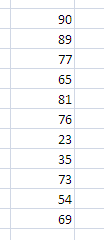
Based upon a range of values you can show the Red, Yellow or Green indicators in the cell. To create Traffic light lets take this sample data


Step 1
Select the data and click on the Conditional Formatting drop down from the Styles group of the Home tab


Step 2
Select Icon Sets and then 3 Traffic Lights


If you want to change the conditions, select Manage Rule from the Conditional Formatting drop down.
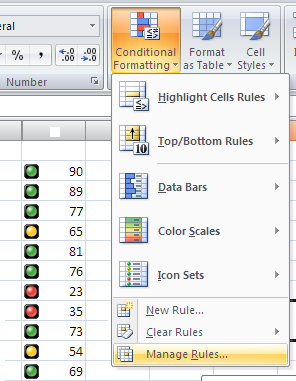


Select the rule then click on Edit Rule. Change the conditions then click on Ok


You can also check the Show Icon only check box to see only the lights and not the data.